Yoga studio booking software — tilkbook
tilkbook gives yoga studios a class and session booking system that works for both group classes and private one-on-one instruction. Staff-assigned classes, recurring schedules, and a waitlist for popular sessions included.
Why does online booking for yoga studios need to be different?
Popular instructors fill up fast — the waitlist matters
A Tuesday evening Vinyasa class with a beloved instructor fills within hours of opening. Without a waitlist, students who miss the booking window have no path back in. tilkbook's waitlist automatically notifies the next student when a spot opens — no manual list management needed.
Private sessions need different pricing, duration, and instructor assignment
A 75-minute private Yin yoga session with a senior teacher has a different price, a different booking process, and a different instructor pool than a 60-minute drop-in Hatha group class. One service slot cannot serve both without confusion.
New students enquire but don't follow through — a booking page captures commitment
A prospective student who discovers the studio on Instagram or via word of mouth may intend to come in but forget. A self-serve booking page captures that intent immediately — before they move on to another studio or let the moment pass.
Managing recurring class schedules by hand wastes teacher time
A studio running 10–15 weekly classes needs each class set up as a recurring appointment rather than manually recreated every week. tilkbook's RRULE-based recurrence handles recurring class schedules automatically, with each instructor assigned to their own sessions.
What features matter for yoga studios?
Recurring class schedules per instructor
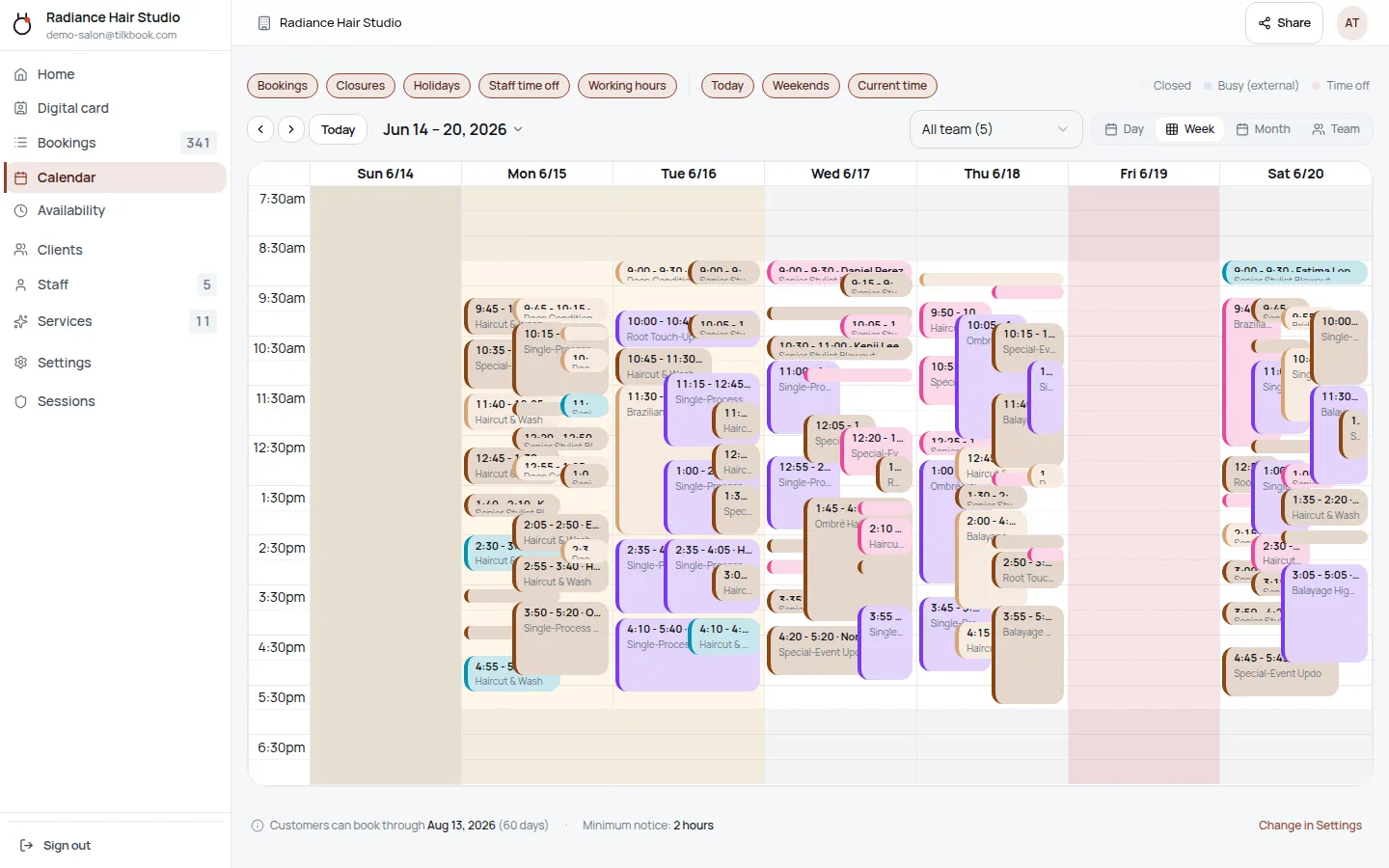
Set up each weekly class as a recurring appointment assigned to the teaching instructor. The Tuesday 7pm Vinyasa class with its instructor recurs automatically week after week. No manual re-entry. Substitutions and cancellations are handled from the admin calendar.
Waitlist for popular classes
When a class reaches its booking limit, students can join the waitlist. When a cancellation occurs, tilkbook automatically emails the next waitlisted student with a claim link. The first to confirm claims the spot. Popular instructors never have empty mats because a confirmed student cancelled.
Separate services for group classes and private sessions
Define each group class — beginner Hatha, intermediate Vinyasa, restorative, Yin yoga, hot yoga flow — and each private session type as separate services with their own durations, prices, and instructor assignments. Students see the correct options and book the right thing.
Per-instructor assignment
Each class is assigned to a specific instructor. Students who prefer a particular teacher can book directly with them. When an instructor is unavailable, their classes can be reassigned to a substitute from the admin dashboard without recreating the booking.
Email and SMS reminders
Automated email reminders go out before every class and private session. SMS reminders are available as a paid upgrade. Students who sign up for a Tuesday morning Ashtanga class receive a reminder the evening before without any action from the studio.
Digital business card for studio sharing
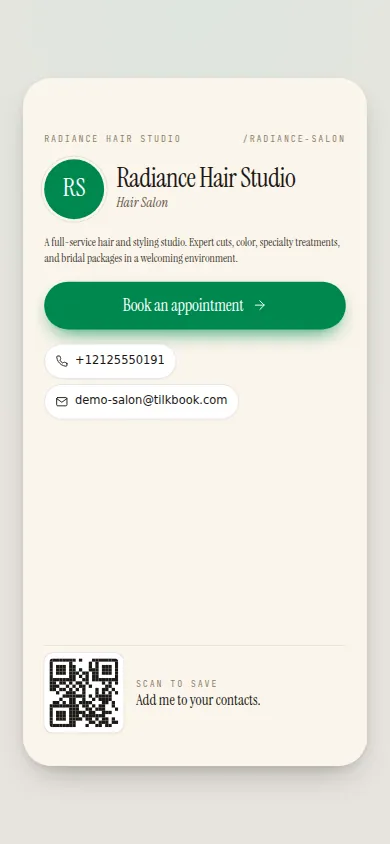
The studio and each instructor get a shareable digital business card with a booking link and social media links. Instructors can share their personal card on their own social accounts — students who follow a teacher directly can book their classes without navigating the studio website.
What is yoga studio booking software?
Yoga studio booking software gives a studio a structured booking system for both group classes and private one-on-one sessions — so students can reserve a mat, sign up for a private session with their preferred teacher, and receive automated reminders without calling the studio or sending DMs. tilkbook is free yoga scheduling software that handles recurring class schedules, per-instructor assignment, a waitlist for popular sessions, and optional payments — at no per-booking charge, with no caps on the number of sessions or students, and no monthly subscription required to get started.
tilkbook is best suited for yoga studios that run per-slot booking: each class or private session is a distinct bookable appointment, and each student books individually. This model covers studios that operate drop-in group classes, small group intensives, private instruction, and teacher training intake sessions. It is not a full-service studio management system with class pack billing, membership tracking, or point-of-sale — those require dedicated yoga studio platforms. For studios that want a clean, professional booking page and automated scheduling without committing to a paid platform subscription, tilkbook is a natural starting point.
Why does a waitlist matter for yoga classes?
A Tuesday evening Vinyasa class with a gifted instructor fills fast. Students who check the schedule on Monday often find it closed. Without a waitlist, those students have no option — they either show up early on the day hoping for a cancellation or they book elsewhere. The studio loses a student who was ready to commit.
tilkbook’s waitlist addresses this at the booking step. When a class reaches its maximum bookings, students see the option to join the waitlist. When a confirmed student cancels, tilkbook immediately emails the first waitlisted student with a claim link. The first to confirm claims the spot. The process is automatic — the studio coordinator does not need to monitor cancellations and manually contact waiting students.
The waitlist is independently managed per class occurrence. A student waitlisted for the Tuesday 7pm Vinyasa class is notified when a Tuesday 7pm spot opens — not when spots open in other classes. If a student cancels their spot in Tuesday’s class but keeps their booking in Thursday’s, only the Tuesday waitlist is triggered. The system is precise and does not generate irrelevant notifications.
For popular instructors with fully subscribed classes, the waitlist means a cancellation never translates to an empty mat. The studio fills the spot without any manual coordination.
How does tilkbook handle group classes vs. private sessions?
The most important distinction in yoga studio scheduling is between group classes and private instruction. A 60-minute beginner Hatha group class might be priced at a drop-in rate and assigned to any of three instructors who teach that format. A 75-minute private session with the studio’s senior teacher is priced at a significantly higher rate, assigned to that specific teacher only, and requires a deposit.
tilkbook handles this by treating each class type as a separate, independently configured service. You define “Beginner Hatha — Group” with its duration, drop-in price, and the instructors who teach it. You define “Private Session — Vinyasa” with its longer duration, higher price, specific instructor assignment, and deposit requirement. The public booking page shows students both options clearly, and each service has the booking rules that apply to it.
For private sessions, recurring appointments are especially valuable. A student who wants a weekly private Yin yoga session with their teacher books the first session, enables recurrence, and the series populates automatically. The instructor’s calendar fills with confirmed private sessions without any back-and-forth about weekly availability.
Can each yoga instructor have their own schedule?
Yes. Every instructor in tilkbook has a completely independent availability profile. Working hours, days off, and time-off requests are configured per instructor. A teacher who teaches Tuesday and Thursday mornings and takes private sessions on weekend afternoons sets their schedule accordingly; students see only their real availability when booking.
Google Calendar sync extends this further. Each instructor connects their personal Google Calendar, and tilkbook reads busy blocks — training retreats, teacher training commitments, personal events — and never offers a slot that conflicts with an existing calendar entry. Confirmed bookings are written back to the instructor’s Google Calendar so they see their complete schedule in one place.
For studio directors managing a team of five or more instructors, tilkbook’s team dashboard provides a real-time view of every instructor’s current day: who has classes coming up, who has open slots, and who is on leave. Reassigning a class from an unavailable instructor to a substitute happens from the admin calendar without recreating the booking from scratch.
How does the waitlist work differently for classes vs. private sessions?
For group classes with a capacity limit, the waitlist fills spots when confirmed students cancel. tilkbook manages this automatically — the FIFO queue, the claim email, and the claim window all run without any input from the studio.
For private sessions, the waitlist still works, but the context is different. If a student cancels a private session that was the only opening in a teacher’s week, the waitlist notifies the next waiting student for that specific teacher and time slot. Private session waitlists are smaller — because they are scoped to a specific teacher and time rather than a class type — but they are equally valuable for filling high-value session cancellations without making phone calls.
The studio director can see active waitlist positions for every class and private session in the admin dashboard, along with the total number of students waiting and the last time a notification was sent.
What types of yoga classes can I set up in tilkbook?
tilkbook’s service catalog is flexible enough to match any studio’s class offering. Common setups include:
- Vinyasa Flow — 60 / 75 minutes, group, multiple instructors
- Beginner Hatha — 60 minutes, group, beginner-tagged
- Yin Yoga — 75 / 90 minutes, group, restorative
- Hot Yoga Flow — 60 minutes, group, instructor-specific
- Ashtanga — 75 / 90 minutes, group, intermediate/advanced
- Restorative Yoga — 75 minutes, group, all levels
- Kundalini — 60 / 90 minutes, group, pranayama-inclusive
- Meditation Session — 45 / 60 minutes, group or private
- Private Session — Any Style — 60 / 75 / 90 minutes, specific instructor
- Teacher Training Intake Consult — 60 minutes, specific instructor, deposit required
Each service has a configurable capacity limit, duration, price, staff assignment, and optional deposit. Services can be grouped into categories — “Group Classes,” “Private Instruction,” “Workshops” — so the booking page is easy for students to navigate by interest or level.
How does tilkbook compare to other yoga studio software?
Dedicated yoga studio management platforms like MindBody, WellnessLiving, Vagaro, Glofox, and Pike13 offer full studio management: class pack billing, memberships, retail POS, payroll tracking, and mobile apps. They are the right choice for studios with complex billing models — monthly unlimited memberships, 10-class packs, intro offers, and corporate accounts.
tilkbook is a scheduling and booking tool focused on the per-appointment model: a public booking page, per-class capacity limits, per-instructor availability, email reminders, waitlist auto-fill, and optional deposits for private sessions. It is genuinely free for unlimited class bookings with no monthly subscription and no per-booking fees. The payments add-on (deposits, tips, no-show fees) is optional.
For a studio that operates primarily on a drop-in or per-session model, or for an independent yoga instructor building a private session practice, tilkbook provides professional scheduling infrastructure without the overhead of a full studio management platform.
Getting started with tilkbook for a yoga studio
Most yoga studios are live within an hour. The setup flow:
- Create your account at tilkbook.com and add the studio name, location, and contact details.
- Define your classes and services — each class type with its duration, price, capacity, and which instructors teach it.
- Add your instructors — invite each teacher. Each sets their own availability schedule independently.
- Set studio hours — opening hours, holiday closures, and recurring days off.
- Enable payments (optional) — connect Stripe to require deposits on private sessions and teacher training consults.
- Go live — share the booking link on the studio website, Google Business profile, and each instructor’s social media bio.
The studio’s digital business card is generated automatically and includes a direct link to the class schedule. Each instructor also gets their own digital card with a link to their specific classes and private sessions. Students who follow a teacher on Instagram can tap or click directly to book without navigating the studio’s main website. Every booking flows into the admin calendar with an automatic confirmation email to the student and a notification to the assigned instructor.
Questions yoga studios ask first.
Does tilkbook support class packs or punch cards?
Not natively. tilkbook handles per-appointment booking and optional per-session payments — it is not a class pack or membership billing system. If your studio sells 10-class packs or monthly unlimited memberships, you would need a separate system to track pack usage. tilkbook works well for studios that operate on a drop-in or per-session model, and for private session booking alongside any membership system you already use.
Can I cap attendance at 12 students per class?
Yes. Each service in tilkbook has a configurable booking capacity. Set the maximum bookings for your Vinyasa class to 12 and tilkbook stops accepting new bookings once the cap is reached. Students who try to book after the cap is full are offered the waitlist instead.
Do clients need to create an account to book?
No — tilkbook supports guest booking with email confirmation. Students can book a class, receive a confirmation, and manage their booking via a secure link in the confirmation email without creating an account. Optional customer accounts let regulars view their booking history and manage upcoming classes themselves.
Can each instructor have their own availability for private sessions?
Yes. Each instructor in tilkbook has their own availability schedule — working hours, days off, and time-off requests. Students booking a private session with a specific teacher see only that teacher's real openings. An instructor who teaches group classes in the mornings and takes private sessions in the afternoons sets their availability accordingly; the booking page reflects it automatically.
Try it in your chair.
Set up a real booking page for yoga studios in under 18 minutes. Free to start — no card.