Massage therapy booking software — tilkbook
tilkbook helps independent massage therapists and multi-therapist clinics take bookings 24/7. Deposits protect your table time, automated reminders reduce no-shows, and the waitlist fills last-minute cancellations automatically.
Why does online booking for massage therapists need to be different?
A 90-minute table is expensive to lose to a no-show
A 90-minute deep tissue or hot stone session leaves no time to fill the slot once the client no-shows. By the time you know they aren't coming, the window is gone. A deposit and a clear cancellation policy changes the economics immediately.
Regulars cancel last-minute and the waitlist should fill their spot
Most massage therapy clients are regulars on a recurring schedule. When a regular cancels on short notice, the next waitlisted client for that day should receive an automatic offer — not a round of phone calls from the therapist.
Social media drives enquiries that don't convert to bookings
Instagram and TikTok generate DMs, story replies, and profile visits. Without a booking link in the bio, that traffic evaporates. A self-serve booking page converts the interest immediately, with no back-and-forth about availability.
Managing a full-time massage table requires a professional schedule
An LMT working 20–30 client-hours per week needs a booking system that respects buffer time between sessions, enforces the cancellation window automatically, and sends reminders without manual follow-up.
What features matter for massage therapists?
Deposits per service — 90-minute session, 30-minute session, any type
Set a deposit for 90-minute and 60-minute sessions while leaving 30-minute express sessions deposit-free. Deposit settings are configured per service, so Swedish massage, deep tissue, prenatal massage, and sports massage each have independent deposit rules.
Waitlist fills last-minute cancellations automatically
When a client cancels, tilkbook emails the next waitlisted client for that day with a claim link. The first to confirm claims the session. No phone calls from the therapist. No scramble to fill table time.
Automated reminders — email free, SMS paid upgrade
Automated email reminders go out before every appointment at the interval you configure. SMS reminders are available as a paid upgrade and are especially effective for clients who don't monitor email closely. Both run without any manual action from the therapist.
Recurring appointments for regular clients
A client who books every two weeks sets up a recurring appointment once using RRULE-based recurrence. The schedule extends automatically — no phone tag, no rebooking friction. Regular clients stay on schedule and therapist revenue stays consistent.
No-show fee charged automatically
When a client misses an appointment without cancelling inside the configured window, tilkbook charges the saved card for the no-show fee automatically. The therapist doesn't have to initiate the charge or make an uncomfortable call. The policy enforces itself.
Per-modality service menu
Define each modality — Swedish massage, deep tissue, hot stone, prenatal massage, sports massage, lymphatic drainage, myofascial release, cupping, reflexology, aromatherapy — as a separate bookable service with its own duration and price. Clients pick exactly what they want.
Digital business card for social media and referrals
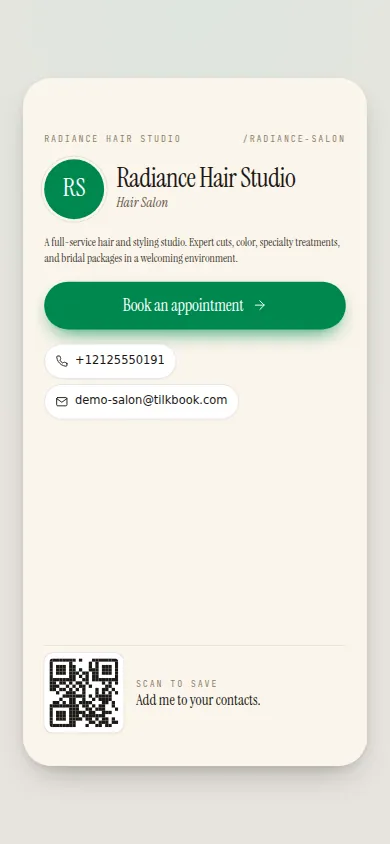
Each therapist gets a shareable digital business card with a booking link, social media links, and an NFC-tag option. Share it as a link-in-bio on Instagram, TikTok, or Facebook — or tap an NFC-enabled card at a wellness expo. Clients tap or click to book directly.
What is massage therapy booking software?
Massage therapy booking software gives an LMT or a multi-therapist clinic a 24/7 self-serve booking page where clients pick their modality, choose their therapist, and confirm an appointment without calling, texting, or DMing. tilkbook is free massage booking software that adds deposits per service, automated email reminders, a waitlist for last-minute cancellations, and recurring appointments for regular clients — at no per-booking charge, with optional payments for deposits and no-show protection via Stripe.
For an independent licensed massage therapist managing a full table, every session is revenue. A 60-minute Swedish massage or a 90-minute deep tissue session that goes unfilled because of a last-minute cancellation is a real loss. Massage therapy booking software addresses this at three points: before the appointment (deposits and reminders reduce no-shows), at the moment of cancellation (the waitlist auto-fills the slot), and at the policy level (no-show fees enforce consequences automatically). tilkbook handles all three.
Why do deposits matter so much for massage therapists?
A 90-minute hot stone or myofascial release session is the most valuable slot in a massage therapist’s week. It is also the hardest to fill at short notice. By the time a client texts to cancel an hour before their 90-minute appointment, the window for rebooking is effectively closed. The therapist absorbs the loss.
A booking deposit changes this dynamic. When a client pays a deposit at the time of booking, they have a financial stake in showing up. Data on deposit-protected appointments consistently shows lower cancellation rates and fewer last-minute no-shows compared to deposit-free bookings. The deposit is not punitive — it is applied toward the session fee. It simply ensures that a booking represents a real commitment.
tilkbook’s deposit feature is configured per service, so you can require a deposit on 60-minute and 90-minute sessions — where the revenue risk is highest — while leaving shorter add-on sessions or express treatments deposit-free. The deposit is collected via Stripe at the time of booking. If the client cancels inside the configured cancellation window, tilkbook charges the no-show fee to the saved card automatically. The therapist does not need to initiate anything.
How does the waitlist work for a massage therapy practice?
The waitlist is the second line of defence after deposits. Even with deposits in place, cancellations happen — illness, family emergencies, work conflicts. The question is whether those cancellations result in empty table time or filled appointments.
When a client cancels a massage therapy appointment, tilkbook immediately emails the first waitlisted client for that day’s slot with a claim link. The email goes out automatically — no action required from the therapist or the front desk. The first client to click the link and confirm their booking claims the session. If they don’t respond within the claim window, tilkbook moves to the next waitlisted client.
The waitlist works independently per time slot, which matters for therapists with multiple openings in a day. A morning cancellation and an afternoon cancellation each trigger independent waitlist notifications for their respective slots. Clients waiting for morning availability get the morning notification; clients waiting for afternoon get the afternoon notification.
For an independent LMT working from a home studio, a wellness centre, or a dedicated clinic space, the waitlist means that a same-day cancellation is no longer automatically lost revenue. The client who was waiting gets an automatic offer, and the therapist fills the table without making a single phone call.
What modalities can I list on my tilkbook booking page?
tilkbook’s service catalog is completely flexible — you name each service, set its duration, and assign it to the appropriate therapist. Common massage therapy service setups include:
- Swedish Massage — 30 / 60 / 90 / 120 minutes
- Deep Tissue Massage — 60 / 90 minutes
- Hot Stone Massage — 75 / 90 minutes
- Prenatal Massage — 60 / 75 minutes
- Sports Massage — 60 / 90 minutes
- Lymphatic Drainage — 60 / 75 minutes
- Myofascial Release — 60 / 90 minutes
- Cupping — 45 / 60 minutes
- Reflexology — 45 / 60 minutes
- Aromatherapy Add-on — 15 minutes (add to any session)
Each service is independently configurable for duration, price, which therapists offer it, and whether it requires a deposit or enforces a cancellation window. Services can be grouped into categories — “Therapeutic,” “Relaxation,” “Add-ons” — so the booking page is easy for clients to navigate.
Can regular clients set up recurring appointments?
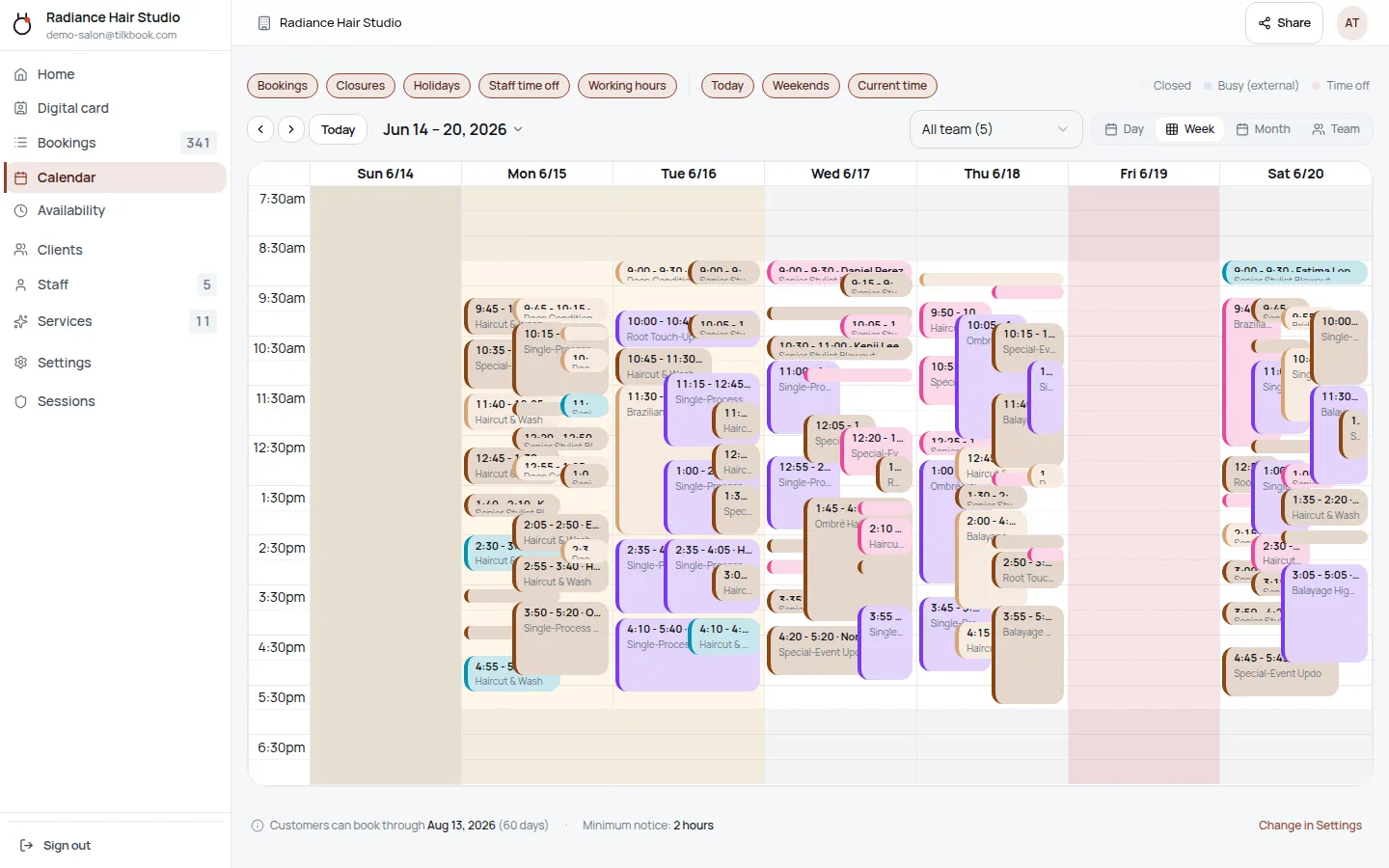
Yes. tilkbook’s recurring appointment feature, built on RRULE-based recurrence, lets clients establish a standing schedule with a single booking action. A client who wants a bi-weekly deep tissue massage selects their preferred therapist, day of week, and time, and enables recurrence. The series of appointments populates automatically on both the client’s booking record and the therapist’s admin calendar.
Recurring appointments are especially valuable for massage therapists because regulars drive the bulk of revenue. A therapist with 15 regular clients on recurring schedules has a predictable calendar that is easier to manage — and easier to fill gaps in — than a therapist who relies entirely on one-off bookings. When a recurring client cancels one occurrence, the series continues; they are not removed from the standing schedule.
Automated email reminders work for recurring appointments the same way they work for standalone sessions. Each occurrence triggers its own reminder at the configured interval. SMS reminders are available as a paid upgrade for clients who prefer text notifications.
How does tilkbook compare to other massage booking apps?
Massage therapy-specific booking platforms like MindBody, Jane App, Vagaro, Square Appointments, and Acuity Scheduling all offer scheduling for massage therapists with varying feature sets and pricing models. MindBody and Jane App are oriented toward larger multi-practitioner clinics and include features like SOAP notes, intake forms, and membership billing that go well beyond scheduling.
tilkbook is focused on the scheduling and booking layer: a public booking page, per-therapist availability, per-modality services, email reminders, waitlist auto-fill, and optional deposits and no-show fees. It is genuinely free for unlimited bookings — there are no per-booking fees and no plan caps on the number of sessions you can receive. The payments add-on (deposits, no-show fees, tips, refunds) is optional and powered by Stripe Connect.
For an independent LMT or a small clinic of two to five therapists who needs a professional booking page, automated reminders, and no-show protection without a monthly subscription, tilkbook is a strong starting point.
Getting started with tilkbook as a massage therapist
Most massage therapists are live in 20–30 minutes. The setup flow:
- Create your account at tilkbook.com and add your business name and contact details.
- Add your services — each modality with its duration, price, and any deposit requirement.
- Set your availability — working hours, buffer time between sessions, and any recurring days off.
- Enable payments (optional) — connect Stripe to collect deposits and charge no-show fees.
- Share your booking link — add it to your Instagram bio, link-in-bio page, website, Google Business profile, or NFC card.
Your digital business card is generated automatically and includes a direct booking link. Share it anywhere clients might look — social profiles, wellness directory listings, or a physical NFC-enabled card for in-person referrals. Every booking flows into your admin calendar with an automatic confirmation email to the client and a notification to you.
Questions massage therapists ask first.
Can I charge a deposit for 90-minute sessions but not 30-minute?
Yes — deposit settings are configured per service. Set a deposit on your 90-minute deep tissue and hot stone services while leaving your 30-minute express and add-on services deposit-free. Each service in your catalog has independent deposit, cancellation window, and no-show fee settings.
Can clients book a series of sessions in advance?
Yes. The recurring appointment feature supports weekly, bi-weekly, or monthly schedules. A client who wants a recurring bi-weekly sports massage sets up the recurrence once, and the appointments populate on both calendars automatically. You can set an end date or let the series continue until the client cancels.
How does the waitlist work if I get a last-minute cancellation?
When a client cancels, tilkbook automatically emails the next waitlisted client for that day's time slot with a claim link. The first client to click and confirm claims the session. If they don't respond within the claim window, tilkbook moves to the next person on the waitlist. You never need to manually call through a list.
Does tilkbook support intake forms or pressure preference notes?
tilkbook handles appointment scheduling and does not currently include a built-in clinical intake form for recording pressure preferences, treatment notes, or medical history. You can include booking instructions (such as a link to an intake form in your confirmation email) in your custom booking message, but detailed intake form functionality is not part of the current product.
Try it in your chair.
Set up a real booking page for massage therapists in under 18 minutes. Free to start — no card.