Personal trainer scheduling software — tilkbook
tilkbook gives personal trainers a booking page that handles 1:1 sessions, small-group training, and recurring weekly schedules — no spreadsheets or DMs needed. Deposits protect your time, and the waitlist fills last-minute openings automatically.
Why does online booking for personal trainers need to be different?
Last-minute cancellations leave time slots empty
A personal training session cancelled an hour before cannot be filled by word of mouth. A deposit at booking changes client behaviour — when clients have skin in the game, cancellation rates drop.
Managing 15–20 clients by text is unsustainable
Weekly scheduling by DM means lost messages, double-bookings, and hours spent confirming times. A self-serve booking page lets clients book, reschedule, and confirm without a back-and-forth.
Growing the client list requires a public presence
Word-of-mouth referrals and gym-floor conversations convert better when you can hand someone a booking link instead of asking them to text you. A professional booking page signals legitimacy.
What features matter for personal trainers?
Recurring weekly session booking
Set up a client's recurring weekly or biweekly slot once. The RRULE-based recurrence engine books the series automatically and sends reminders before each session — no rebooking required week to week.
Per-session deposits via Stripe
Require a deposit or full session payment at booking. The slot holds only once payment clears. Set a cancellation window — 24 or 48 hours — and charge a late-cancel fee via Stripe if the window is missed.
Multiple service types with separate pricing
Create distinct services for an initial assessment, 1:1 training, small group training, and an online check-in — each with its own duration, price, and staff assignment. Clients see the right options on your booking page.
Waitlist for high-demand slots
When a popular time slot fills, clients join the waitlist. If a cancellation opens the slot, the first waitlisted client gets an auto-sent claim link. Last-minute openings fill themselves.
Email and SMS reminders
Automated email reminders are included free. Add SMS reminders as a paid upgrade to reach clients who miss emails. Reminder timing is configurable per service type.
Digital business card for gym referrals
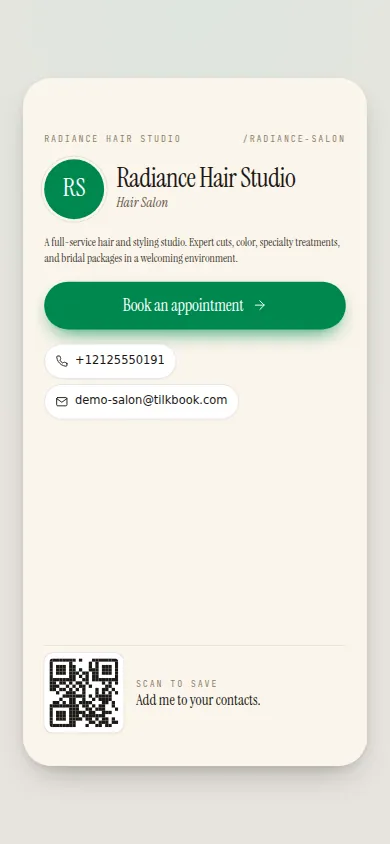
Each trainer gets a digital business card with NFC-tap, a short link, and a vCard download. Hand your card to a prospect on the gym floor — they tap and land on your booking page instantly.
What is the best free booking software for personal trainers?
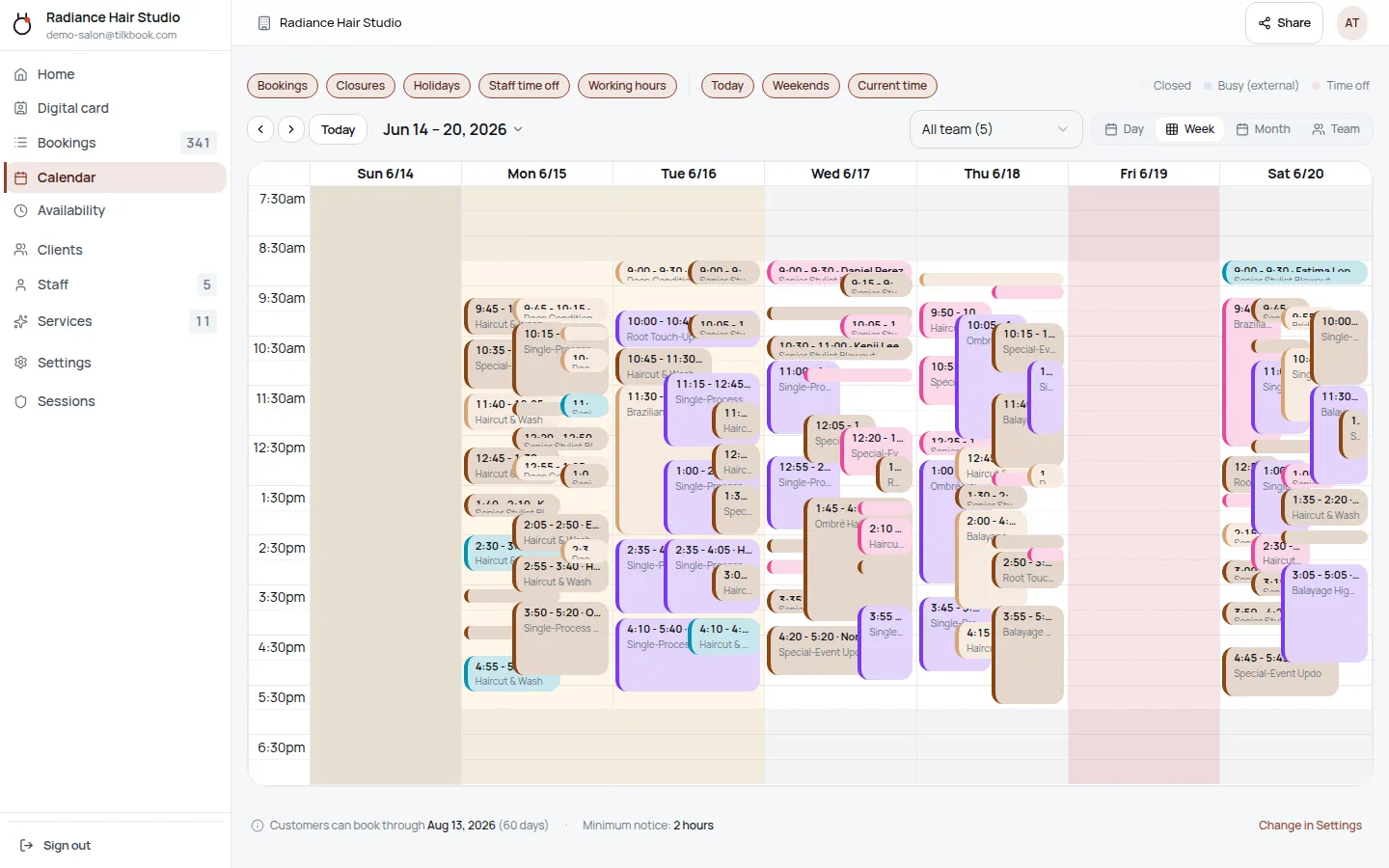
tilkbook is free online scheduling for personal trainers — solo CPTs, strength-and-conditioning coaches, and small group fitness businesses. A trainer creates a public booking page, lists their services (initial assessment, 1:1 training, small group session, online check-in), and sets their availability. Clients book 24/7 from any device, receive an automated confirmation, and get reminders before their session. The trainer’s admin calendar shows every booked session at a glance, colour-coded by service type and client name.
The core scheduling product is genuinely free: unlimited bookings, no credit card required, no per-session fee. Personal trainers who want to require a deposit or charge per session activate the optional Stripe payments add-on. SMS reminders are available as a paid upgrade on top of the free email reminders. The recurring appointment feature, waitlist, digital business card, and embeddable booking widget are all included at no cost. A personal training business can go from sign-up to a live booking page in under 20 minutes with the pre-built personal training template.
How do recurring weekly sessions work in tilkbook?
Recurring weekly slots are the backbone of a personal trainer’s schedule. Most clients train the same day and time each week — Monday/Wednesday/Friday at 6 am, Tuesday/Thursday at 7 am — and re-booking each session manually wastes both parties’ time. tilkbook’s recurring appointment feature uses RRULE-based recurrence to set up a client’s series once and book automatically.
A trainer sets up a “1:1 Training — Tuesday/Thursday” series for a client, specifying the recurrence rule (every Tuesday and Thursday, starting this week) and the service duration (60 minutes). The system generates the series, holds each slot in the trainer’s calendar, and sends reminders before every session. The client receives a booking confirmation for the full series and individual reminders for each upcoming session.
Adjustments are flexible. A trainer can cancel or reschedule a single session in the series without affecting the rest. If a client is travelling for two weeks, those sessions can be blocked without modifying the broader recurring pattern. The recurring appointment engine also handles edge cases like holidays: when a business holiday falls on a recurring slot, that individual instance can be rescheduled without rebuilding the series.
Strength and conditioning coaches with NSCA certifications, ACE-certified trainers, and NASM-certified personal trainers operating at independent gyms, private training studios, or home gyms all benefit from the recurring session model because it converts month-to-month client relationships into a structured, auto-confirmed schedule.
How does the deposit and cancellation system protect a trainer’s time?
A personal training session that cancels an hour before the appointment leaves a time block that almost never fills same-day. The economics are straightforward: a 1:1 session at $80/hour cancelled at the last minute is $80 of lost revenue that cannot be recovered from a waitlist in under an hour.
Requiring a deposit at booking — either a fixed amount or a percentage of the session fee — changes client behaviour. When a client has paid upfront, the psychological and financial cost of cancelling is concrete. tilkbook’s cancellation window setting gives trainers full control: set a 24-hour window with a full refund for cancellations before the window, and a late-cancel fee for cancellations inside it. The fee is charged automatically via Stripe when a client cancels too close to the session — no manual follow-up required.
The no-show fee works the same way: if a client does not show and no cancellation was logged, tilkbook triggers the configured no-show fee charge via Stripe. A trainer can excuse the no-show when circumstances warrant (first offence, genuine emergency) without losing the ability to enforce it as a consistent policy.
Trainers running small group training — HIIT classes, functional fitness sessions, boot camp formats with 3–6 clients — can set per-service cancellation policies that match the group economics. A group session that needs a minimum number of participants to run can have a stricter cancellation window than a 1:1 session.
Can tilkbook handle both 1:1 sessions and small group training?
Yes. tilkbook’s service catalog supports multiple service types with independent pricing, duration, and staff assignments. A trainer who offers both private 1:1 sessions and small group training creates separate services for each.
A typical service menu for a certified personal trainer might include:
- Initial Assessment (30 min, free or low deposit) — for new client goal-setting consultations
- 1:1 Training Session (60 min, $75 deposit) — individual programming and coaching
- Small Group Training (60 min, $40 deposit, up to 6 clients) — HIIT, strength, or mobility focus
- Online Check-in Call (30 min) — for remote clients or hybrid programming review
Each service has its own booking page URL, deposit settings, reminder schedule, and cancellation policy. Clients booking a 1:1 session see the trainer’s full 1:1 availability; clients booking a group session see the group class schedule separately. The trainer’s admin calendar shows all service types in a unified week view.
How does the waitlist fill last-minute openings?
When a trainer’s schedule is full for a given week, clients who want to book can join the waitlist for a specific service. The waitlist is automatic and FIFO: when a cancellation or reschedule frees a slot, the system immediately sends a claim link to the first waitlisted client. The client has a time-limited window to claim the slot before it moves to the next person in the queue.
This means a trainer does not need to manually call or text clients when an opening appears. A personal trainer with a full Tuesday/Thursday schedule who has three clients on the waitlist for early-morning slots will find those openings filled automatically — often within minutes of the cancellation.
For trainers who run high-demand boot camp or group fitness sessions — where a popular time like Saturday at 8 am books out days in advance — the waitlist is the practical replacement for manually managing a cancellation list over text message.
How does the digital business card help trainers get referrals?
Gym-floor referrals and word-of-mouth are a personal trainer’s most reliable client acquisition channel. tilkbook’s digital business card turns every referral moment into a booked session rather than an exchanged phone number.
Each trainer gets a digital business card with an NFC tag binding. At the gym, after a class, or at a fitness event, a trainer can tap their NFC-enabled business card to a prospect’s phone — the phone opens the trainer’s booking page immediately, with no app install required. The card also generates a short link for text messages, social media bios, and email signatures, and a vCard download for contacts who prefer to save details directly to their address book.
An ACE-certified trainer building a client base at a commercial gym, a NASM-certified coach transitioning to private training, or an independent strength-and-conditioning coach can hand out their digital card to every gym-floor conversation and convert a fraction of those conversations into booked assessments without any follow-up required.
Can I embed the booking button on my training website or social bio?
Yes. tilkbook generates an embeddable booking widget in four formats: a direct link (for Instagram bio, Linktree, or email signature), a popup modal triggered by a “Book Now” button, an inline iframe embedded in any page, and a floating button that sits in the corner of your website.
A personal trainer with a basic website or a Squarespace portfolio can paste the embed code and add a working booking flow without any development work. The booking widget is also compatible with Wix, WordPress, and any HTML-based site. Clients complete the full booking flow — service selection, date/time, deposit payment — without leaving your site.
Questions personal trainers ask first.
Does tilkbook support session packs (e.g. buy 10 sessions upfront)?
Not natively. tilkbook handles per-session scheduling and optional per-session payment via Stripe. Session pack or bulk-session management would need additional tooling outside tilkbook. Each session can have a deposit or full payment at booking, but prepaid pack logic is not currently built in.
Can clients book a recurring time slot every Tuesday and Thursday?
Yes. Use the recurring appointment feature to set up a repeating schedule once — for example, every Tuesday at 7 am and every Thursday at 7 am. The series books automatically, and the client receives reminders before each session. You can adjust or cancel individual sessions in the recurring series without affecting the rest.
What happens if a client cancels at the last minute?
Set a cancellation window — for example, 24 hours — and a late-cancel fee. tilkbook enforces the window. If a client cancels outside the allowed window, the fee is charged via Stripe automatically. If a client simply does not show, the no-show fee triggers. You can also excuse a no-show when circumstances warrant.
Can I take bookings from the gym floor without a computer?
Yes. The public booking page works on any device — clients can book from their phone. The admin calendar and booking management also work on mobile. Your digital business card with NFC-tap lets a prospect book directly from a tap on the gym floor.
Try it in your chair.
Set up a real booking page for personal trainers in under 18 minutes. Free to start — no card.