Dental appointment software — tilkbook
Give patients a 24/7 booking page for cleanings, consultations, and elective procedures. tilkbook manages per-provider availability, sends automated recall reminders, and fills last-minute cancellations from a waitlist.
Why does online booking for dental practices need to be different?
Recall appointments slip through without automated reminders
Six-month hygiene recalls and annual examinations are the backbone of dental revenue. When reminder calls depend on a front-desk team member finding time, patients fall out of their recall cycle — quietly, without the practice noticing until it shows up in recall retention numbers.
Short-notice cancellations leave chair time empty
A dentist or hygienist with an empty operatory is one of the most expensive problems in a dental practice. Without a waitlist, a same-day cancellation is simply lost revenue. tilkbook's waitlist auto-notifies the next patient the moment a slot opens.
New-patient consults and hygiene visits need different booking rules
A new patient examination runs 60–90 minutes and involves the dentist plus the hygienist. A recall prophylaxis runs 30–45 minutes with the hygienist alone. Using a single generic service for both leads to double-booking and scheduling conflicts at the front desk.
Elective procedures require commitment screening
Whitening, Invisalign consultations, and cosmetic procedures attract patients who browse and cancel. A booking deposit screens for genuine commitment, protects the schedule, and compensates the practice for late-stage drop-offs.
What features matter for dental practices?
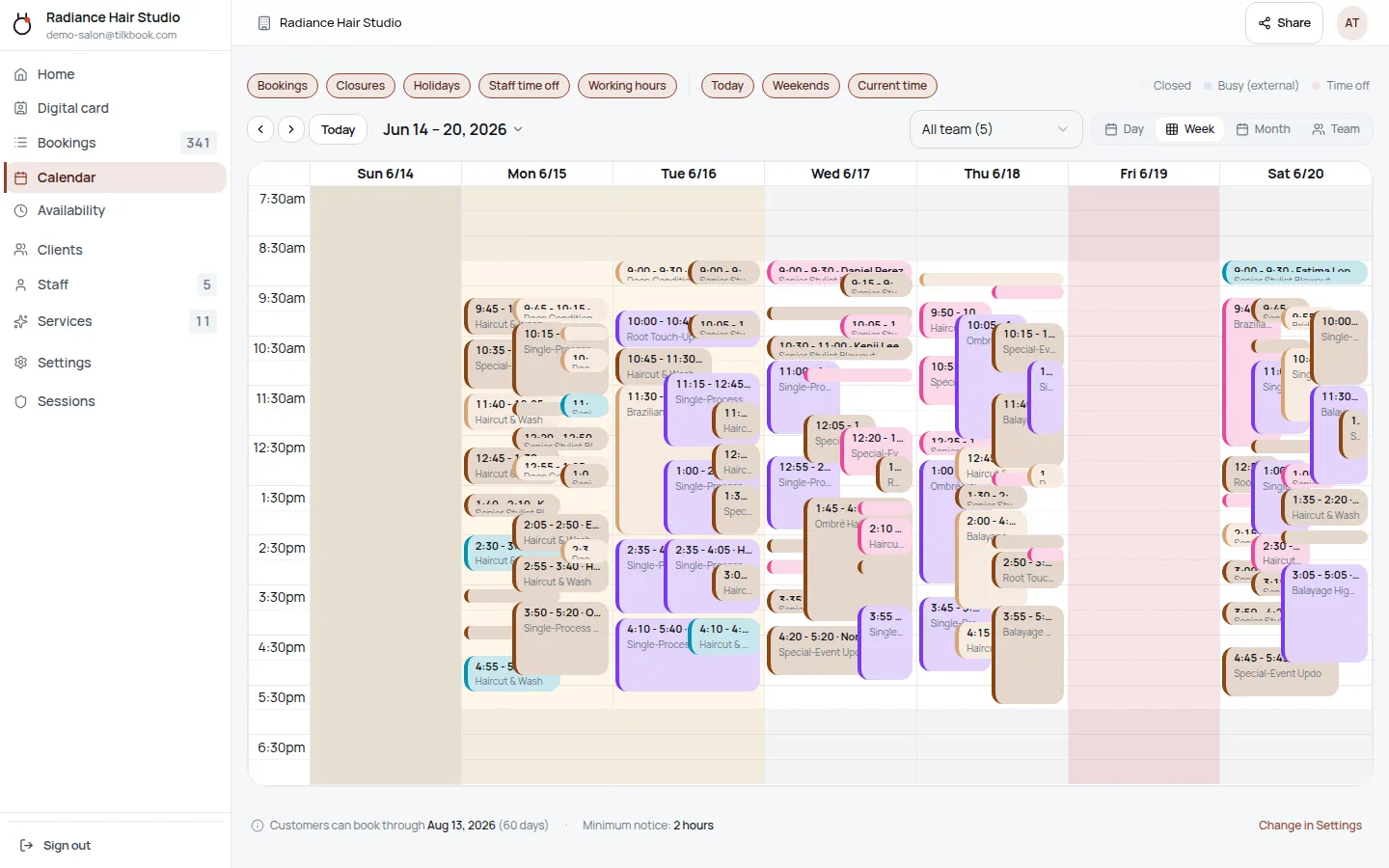
Per-provider scheduling — dentist and hygienist
Each staff member — principal dentist, associate dentist, periodontist, endodontist, and every hygienist — has their own availability calendar. Patients pick the provider they want and see only that provider's real openings.
Automated recall reminders
Set up a recall reminder service and tilkbook sends email reminders automatically before the appointment. SMS reminders are available as a paid upgrade. Configurable timing means reminders go out at the interval that works for your practice.
Waitlist fills last-minute cancellations
When a patient cancels, tilkbook automatically emails the next waitlisted patient for that day with a claim link. The first to claim gets the slot — no phone calls, no manual scanning of a paper list.
Deposits and no-show fees for elective procedures
Require a card at booking for whitening, Invisalign consultations, and other elective services. The deposit holds against the appointment fee. If the patient no-shows, tilkbook charges the configured no-show fee to the saved card. Configurable per service — routine hygiene can remain deposit-free.
Separate services for new patients vs. existing recall
Define "New Patient Examination" as a 75-minute service assigned to both the dentist and the hygienist, and "Hygiene Recall" as a 45-minute service assigned to hygienists only. Each service has its own duration, price, and staff assignment — eliminating double-booking risk between chair types.
Google Calendar sync keeps provider schedules accurate
Each provider connects their Google Calendar. tilkbook reads busy blocks from external events — hospital rounds, CE courses, personal appointments — and never offers a slot that conflicts. Two-way sync writes confirmed bookings back to the provider's calendar.
Digital business card for referrals
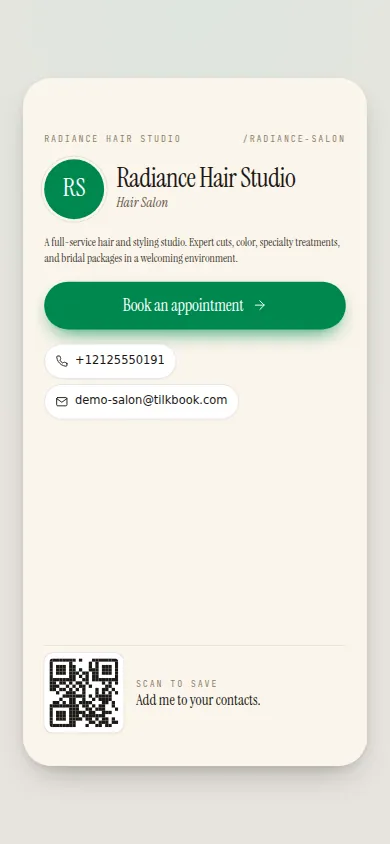
Every staff member gets a shareable digital business card with a booking link, social links, and an NFC-tag option. Existing patients who refer friends can share the card directly — no need to look up the practice phone number.
What is dental appointment scheduling software?
Dental appointment scheduling software replaces phone-based booking with a 24/7 self-serve booking page that patients can use from their phone, tablet, or desktop at any time. Instead of calling the front desk during business hours, a patient visits the practice’s booking page, picks their provider — dentist, hygienist, periodontist, or endodontist — selects an appointment type, chooses a date and time, and receives an immediate confirmation email. The front desk sees every new booking appear in the admin calendar in real time. tilkbook is free dental scheduling software that adds per-provider calendars, automated recall reminders, a patient waitlist, and optional deposits for elective procedures — all from a single dashboard, with no per-booking fees and no setup cost.
Dental practices have more complex scheduling requirements than most service businesses. A new patient examination runs 60–90 minutes and ties up both the dentist and the hygienist in the same dental operatory. A six-month prophylaxis runs 30–45 minutes with the hygienist alone. A crown preparation takes 90 minutes with the dentist alone, followed by a separate cementation appointment three weeks later. Software that treats all appointment types as identical will produce double-bookings, chair-time conflicts, and frustrated patients. tilkbook’s per-provider scheduling and configurable service durations are designed specifically for practices that operate multiple providers across multiple operatories.
Why do recall appointments fall through the cracks — and how does automation fix it?
Patient recall is the single most important retention mechanism in a dental practice. A patient who completes their six-month hygiene recall is far more likely to book a third appointment than a patient who misses it. But recall depends entirely on the front desk reaching out at the right time — and most practices lose a significant share of their recall list every year simply because the reminder process is manual, inconsistent, or deprioritised when the team is busy handling insurance and treatment plans.
tilkbook’s automated reminders send email notifications before each booked appointment without any manual intervention. When a patient books a hygiene recall, tilkbook automatically schedules a reminder at the configured interval — 48 hours before, 7 days before, or both. SMS reminders are available as a paid upgrade and reach patients who don’t check email reliably. The result is fewer no-shows, better recall retention, and a front desk that can focus on treatment plan coordination, perio probing follow-up, and insurance verification instead of outbound reminder calls.
For practices using Dentrix, Eaglesoft, or Open Dental as their practice management system, tilkbook handles the patient-facing scheduling and reminder layer. Clinical documentation, perio charting, X-ray review, treatment plans, and insurance details remain in the PMS. tilkbook does not replace your practice management software — it adds a modern patient-facing booking surface alongside it.
How does the waitlist work for a dental practice?
Last-minute cancellations are unavoidable in any health-care setting. A patient with an urgent toothache who called in sick, a parent whose child is home from school — dental cancellations happen regardless of how good the reminder system is. The question is whether a cancellation destroys chair time or fills within hours.
tilkbook’s waitlist works like this: when a patient tries to book a slot that is already taken, they can join the waitlist for that service and date. When a cancellation occurs — whether by the patient directly or by the front desk from the admin calendar — tilkbook automatically emails the first waitlisted patient with a claim link. The first patient to click and confirm claims the slot. If they don’t respond within the claim window, tilkbook moves to the next patient on the list. No phone calls. No manual scanning of a recall list.
For a dental operatory that generates significant revenue per hour, the waitlist fills same-day cancellations that would otherwise be lost. A hygienist’s 45-minute prophylaxis slot that would have been empty gets filled by a patient who was already waiting. The front desk made no outbound calls at all.
Can tilkbook handle per-dentist and per-hygienist scheduling separately?
Yes. Each team member in tilkbook — dentist, associate dentist, hygienist, periodontist, endodontist, oral surgeon — has a completely independent availability profile. You set each provider’s working hours, break times, and days off separately. Patients selecting a service see only the providers who offer that service and who have openings at the selected time.
This per-provider model is essential for practices with mixed teams. A practice with one dentist and two hygienists needs three separate schedules that occasionally intersect — for comprehensive examinations requiring both the dentist and the hygienist — but mostly operate independently. tilkbook’s staff management feature handles this exactly: assign the “New Patient Examination” service to the dentist and both hygienists, assign the “Hygiene Recall” service to hygienists only, and the booking calendar enforces the right constraints automatically.
Google Calendar sync extends this further. Each provider connects their personal Google Calendar, and tilkbook reads busy blocks — hospital rounds, CE courses, personal appointments — and never offers a slot that conflicts with an existing calendar event. Confirmed bookings are written back to the provider’s Google Calendar so they see their full schedule in one place.
Does tilkbook support deposits for elective dental procedures?
Yes, through the optional payments add-on powered by Stripe. When payments are enabled, you can require a deposit at booking time for specific services. The deposit is configured per service — so you can require a deposit for a whitening consultation or an Invisalign consult while leaving routine hygiene recall deposit-free.
When a patient books an elective procedure, they enter their card details during the booking flow and the deposit is charged immediately. The amount is applied against the total service fee. If the patient no-shows inside the cancellation window, tilkbook charges the configured no-show fee to the saved card. The practice doesn’t need to chase the patient by phone — the payment is handled automatically.
For a dental practice that has struggled with patients booking Invisalign consultations and not appearing, the deposit filter is highly effective. Patients who are genuinely committed to treatment proceed through the deposit step without friction. Patients who were not serious self-select out before consuming the dentist’s time.
What dental appointment types can I set up in tilkbook?
tilkbook’s service catalog is flexible enough to match any dental practice’s appointment menu. Common setups include:
- New Patient Examination — 75 minutes, dentist and hygienist, deposit optional
- Hygiene Recall (Prophylaxis) — 45 minutes, hygienist only
- Hygiene Recall (Perio Maintenance) — 60 minutes, hygienist only
- Emergency Consultation — 30 minutes, dentist only
- Whitening Consultation — 45 minutes, dentist, deposit required
- Invisalign Consultation — 60 minutes, dentist, deposit required
- Crown Preparation — 90 minutes, dentist only
- Crown Cementation — 30 minutes, dentist only
- Implant Consultation — 60 minutes, dentist or oral surgeon
- Extraction — 45–60 minutes, dentist
Each service has a configurable duration, price, and staff assignment. Services can be made bookable online or kept internal for appointments that require direct scheduling by reception. Buffer time between appointments — for room turnover, X-ray review, or instrument sterilisation — is configurable per service.
How does tilkbook compare to other dental scheduling software?
Dedicated dental practice management products like Dentrix, Eaglesoft, Open Dental, Curve Dental, and Carestream Dental all include scheduling modules tightly integrated with their PMS. They are the right choice for practices that need full clinical integration — treatment plans, perio charting, imaging, insurance billing, and scheduling in one system.
tilkbook is a different tool for a different problem. It is patient-facing scheduling software: it gives patients a modern self-serve booking page, automates reminders and the recall reminder process, fills cancellations from a waitlist, and optionally collects deposits for elective procedures. It does not replace your practice management system — it works alongside it, handling the patient communication and scheduling layer while clinical and billing workflows remain in your existing PMS.
For small practices, group practices, or specialist offices — including orthodontists, periodontists, and oral surgeons — looking for a modern booking experience without replacing their PMS, tilkbook is a low-friction addition that is free to set up and free to run for unlimited bookings.
Getting started with tilkbook for a dental practice
Setup takes under an hour for most practices. The workflow is:
- Create your account at tilkbook.com and enter your practice details.
- Define your services — add each appointment type with its duration and which providers offer it.
- Add your team — invite each dentist, hygienist, and associate. Each person sets their own availability schedule independently.
- Set business hours and closures — practice hours, holiday closures, and any specific days off.
- Connect payments (optional) — enable the payments add-on to collect deposits and charge no-show fees via Stripe.
- Go live — paste the booking link into your website, Google Business profile, and patient recall communications.
tilkbook’s vertical template for dental practices includes a pre-built service menu with common appointment types. Add the template services with one click and customise from there. The booking page is live 24/7 — patients can book at any hour without calling the front desk, and every new booking appears immediately in the admin calendar assigned to the right provider.
Questions dental practices ask first.
Is tilkbook HIPAA compliant?
tilkbook uses industry-standard encryption for all data in transit and at rest. The booking flow collects only the minimum information needed to hold an appointment — name, contact details, and appointment type. Clinical records, treatment plans, and patient health information remain in your practice management software (Dentrix, Eaglesoft, Open Dental, etc.). tilkbook does not currently offer a HIPAA Business Associate Agreement (BAA). For practices with specific HIPAA requirements, consult your compliance officer before adopting any scheduling software.
Can patients book a cleaning vs a new patient exam as separate services?
Yes. Define each appointment type as a separate service with its own duration, price, and staff assignment. A "New Patient Examination" might be 75 minutes assigned to both the dentist and the hygienist; a "Hygiene Recall" might be 45 minutes assigned to hygienists only. Patients see the correct options and book the right thing without front-desk intervention.
Does tilkbook handle insurance billing?
No — tilkbook handles scheduling only. Insurance verification, claims submission, and payment reconciliation remain in your practice management system. tilkbook does not integrate natively with Dentrix, Eaglesoft, or Open Dental. Booking data and patient contact records can be exported via CSV or pushed to other systems via tilkbook's webhook API.
Can we set different availability for the dentist vs. the hygienists?
Yes. Each staff member has their own availability schedule — working hours, breaks, and days off. The dentist's schedule and each hygienist's schedule are fully independent. tilkbook enforces per-provider availability so patients can only book a slot when that specific provider is actually available.
Try it in your chair.
Set up a real booking page for dental practices in under 18 minutes. Free to start — no card.