Nail salon booking software — tilkbook
Manage nail appointments for your whole team from one free booking system. tilkbook handles gel manicures, acrylics, pedicures, and nail art across multiple nail techs, with automated reminders to cut no-shows.
Why does online booking for nail salons need to be different?
Nail art appointments need a deposit to protect the tech's time
A detailed nail art session can run 60-90 minutes. A no-show on that appointment leaves a tech idle for a large portion of the morning. Deposits at booking protect that time and filter out uncommitted clients.
Clients book the cheap service then request upgrades in-chair
A client books a basic manicure, then asks for gel, nail art, or chrome powder once they are in the chair. The tech loses extra time, the schedule backs up, and the price does not match what was booked. Clear per-service durations and pricing set expectations upfront.
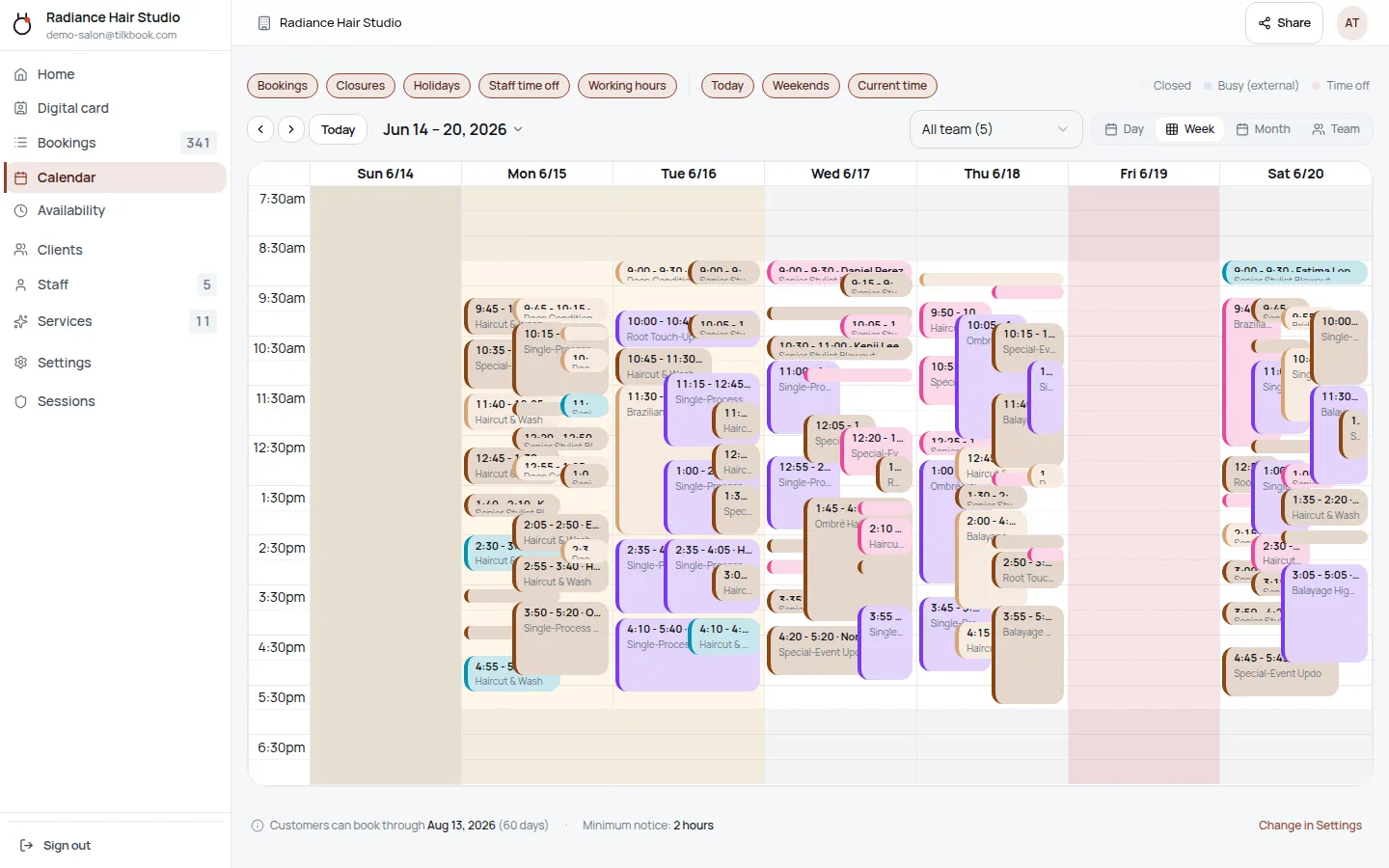
Managing walk-ins and appointments together across 3+ techs is chaotic
Without a digital system, tracking which tech is free, who has a booking in 20 minutes, and where a walk-in can fit is done on paper or in someone's head. Mistakes mean double-booking and unhappy clients.
Clients confuse fill appointments with new sets — duration mismatch causes schedule gaps
An infill or fill runs shorter than a full set or removal. If a client books the wrong service, the tech finishes early or runs long, disrupting the rest of the day's schedule. Separate services with accurate durations fix this.
Popular techs get overbooked; others are underutilised
One nail tech might have a three-week waitlist while another has open slots every day. A per-tech booking page plus waitlist fills the popular tech's gaps automatically and surfaces the availability of others.
What features matter for nail salons?
Per-tech calendars and service menus
Each nail tech sets their own services, durations, and prices. One tech might offer gel manicures, acrylics, and nail art; another might focus on gel-x and dip powder. Clients pick the tech first and see only that person's services and real availability.
Email reminders (free) and SMS reminders (paid upgrade)
Booking confirmations and email reminders go out on every plan at no charge. SMS text reminders — with open rates around 98% — are available as a paid upgrade for salons that want maximum show rates on nail art and longer appointments.
Deposits and no-show fees
Require a deposit on longer appointments — nail art, full acrylic sets, spa pedicures, gel-x applications. If the client no-shows, the fee charges automatically via the optional Stripe payments add-on. Cancellation windows are configurable per service.
Waitlist for in-demand nail techs
When a popular tech is fully booked, clients can join the waitlist for that service and time. When a cancellation opens a slot, tilkbook auto-notifies the next person in line with a one-click claim link — no manual outreach needed.
Digital business cards for every tech
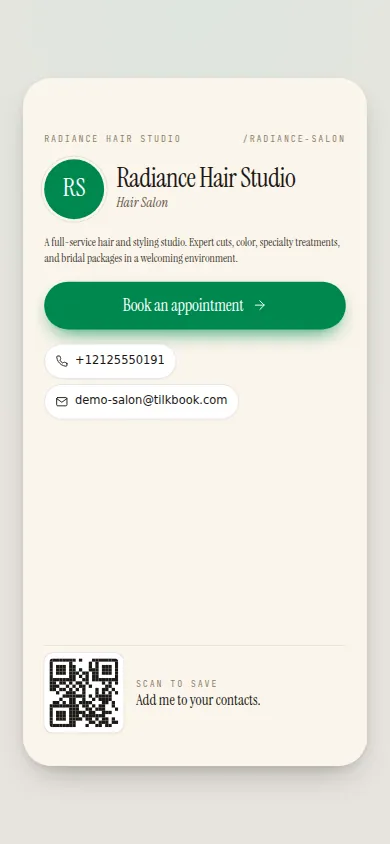
Every nail tech gets a personal digital business card with a short link and NFC-tap support. Share on Instagram, tap between phones, or print a QR code on a physical card. Each card links directly to that tech's booking page.
Google Calendar sync
Two-way sync with Google Calendar blocks off personal commitments and writes new bookings back automatically. Techs can also connect any iCal feed — Outlook, Apple Calendar — to keep their schedule in one place.
Bulk-reschedule for closures and staff changes
When a tech leaves or the salon closes for a holiday, bulk-reschedule moves all affected bookings at once — with substitute-tech suggestions and a preview before committing. No rebooking one appointment at a time.
tilkbook is free booking software for nail salons. Clients open the salon’s booking page, pick their nail tech, choose a service — gel manicure, acrylic nails, dip powder, gel-x, pedicure, nail art, French manicure, builder gel, ombre nails — and lock in a slot at any hour without calling or walking in to check availability. Each tech’s schedule, service menu, and pricing live independently. The system calculates available slots correctly for every service combination: a full acrylic set takes longer than a fill; a nail art session is longer than a basic gel manicure; a soak-off and removal takes the slot it needs. Booking confirmations land in the client’s inbox immediately, and automated email reminders go out before every appointment on every plan, free. SMS reminders are available as a paid upgrade. Deposits and no-show fees require the optional Stripe payments add-on. Setup takes most salons under 20 minutes. No credit card required to go live. Competitors like Vagaro, Booksy, Fresha, Acuity Scheduling, and Setmore all charge monthly fees; tilkbook’s core scheduling is free.
How does tilkbook handle multiple nail techs with different specialties?
Each nail tech on tilkbook has their own profile, service menu, and availability calendar. When a client opens the salon’s booking page, they choose the tech first. After that, they only see the services that specific tech offers — with that tech’s prices and booking slots.
This matters because not every tech does every service. One tech might specialise in gel manicures, acrylic nails, and chrome nails. Another focuses on dip powder, gel-x, and nail art. A third might do pedicures and basic manicures but not extensions. One flat service list does not reflect those differences. tilkbook’s per-tech model does.
The owner builds the master service list — gel manicure, acrylic full set, dip powder, gel-x, pedicure, spa pedicure, nail art, French manicure, ombre nails, builder gel, fill/infill, removal, press-on — and assigns the relevant services to each tech. When a tech adds a new specialty or stops offering a service, they update their own profile without affecting the rest of the team’s calendars.
Walk-in flow and appointment flow coexist. The booking page handles scheduled appointments; walk-ins are handled at the desk as normal. For a salon where some techs take appointments and others stay open for walk-ins, each person’s calendar reflects their actual working style.
Can I charge a deposit for nail art and longer appointments?
Yes. Deposits are available on any service through the optional Stripe-powered payments add-on. For nail salons, the most common use case is nail art sessions and full acrylic or gel-x sets — appointments that run 60-90 minutes and are time-intensive to fill if a client cancels at the last minute.
Deposits are configured per service. A salon might require a deposit on any appointment over 45 minutes and skip it for a basic gel manicure or standard pedicure. The deposit amount is flexible. When a client books, they enter a card at checkout; the deposit captures immediately and the remaining balance is settled in the salon.
If the client cancels outside the cancellation window, the deposit refunds. If they cancel inside the window or no-show, the deposit can be retained, or an additional no-show fee can charge off-session. The salon owner can excuse a no-show for a regular client with one click.
For salons not yet on the payments add-on, the booking flow defaults to pay-on-site. No code changes — the booking works, money just does not move online until Stripe is connected.
How do the waitlist and cancellations work for nail salons?
When a tech’s schedule fills up, clients can join the waitlist for a specific service and time. tilkbook monitors that tech’s calendar automatically. When a cancellation opens a gap, the system sends a claim link to the next matching person on the waitlist — first in, first offered.
The claim link is time-limited and atomically holds the slot. If the first person does not claim it in time, the next person in line receives an offer. The tech does not need to call anyone; the gap fills itself.
This is especially useful for popular nail techs who run booked-out schedules weeks in advance. Clients who could not get in originally have a real path to a cancellation slot rather than having to call and ask repeatedly.
On the admin side, cancellations and reschedules appear in the calendar immediately. Staff receive a notification when a booking is cancelled. The bulk-reschedule tool handles the case where a tech calls in sick or the salon closes unexpectedly — move all affected bookings at once, with substitute-tech suggestions and a preview before committing.
Does tilkbook send reminders to reduce no-shows at nail salons?
Every booking generates a confirmation email immediately. Automated email reminders go out before the appointment on every plan — free, no setup required.
For salons with a no-show problem on nail art or longer appointments, SMS text reminders are available as a paid upgrade. Text messages are harder to ignore than email — open rates run around 98% — and a reminder the morning of a 90-minute nail art session makes a measurable difference in show rates. SMS opt-out compliance is handled automatically.
Reminder timing is configurable per service or globally. A salon might send an email 48 hours before and an SMS reminder the morning of the appointment. Notification settings live in the admin dashboard under Settings → Notifications.
For salons on competitors like Fresha, Vagaro, or Booksy, SMS reminders are typically included but bundled with monthly subscription costs. On tilkbook, email reminders are free on every plan; SMS is the paid add-on if the salon needs it.
What is the difference between a fill appointment and a full set in tilkbook?
Fills/infills and full acrylic or gel sets have different durations. In tilkbook, each is set up as a separate service with the accurate duration and its own price. Clients choose the right service at booking rather than selecting a generic “acrylic appointment.”
This prevents one of the most common nail salon schedule problems: a client books an infill but actually needs a full replacement, or arrives for a removal on top of a full set. The tech runs long, the next client is delayed, and the rest of the day backs up.
With separate services — acrylic full set, acrylic infill, gel-x full set, gel-x infill, soak-off/removal — clients see the correct duration and price for what they actually need. The tech’s day runs to plan.
The same logic applies to pedicures: a standard pedicure has a different duration from a spa pedicure. Set them up as separate services with accurate times and the schedule stays accurate.
What booking features are free for nail salons on tilkbook?
The complete booking foundation is free — no per-booking fees and no monthly subscription:
- Unlimited bookings received
- Per-tech service menus, calendars, and availability
- Booking confirmations and email reminders
- Waitlist with automatic slot offers on cancellations
- Customer management and booking history
- Digital business cards — one for the salon and one for each tech, with NFC and Apple/Google Wallet
- Google Calendar sync (two-way) and iCal feed import
- Bulk-reschedule for closures and staff changes
Paid upgrades:
- SMS reminders (paid add-on)
- Deposits, no-show fees, tips, refunds, and discount codes (optional payments add-on via Stripe — see Stripe integration)
For most nail salons, the free tier handles the full booking workflow. SMS and payments are there when the salon is ready to add them. See how tilkbook handles pricing compared to Vagaro, Booksy, and Fresha.
Questions nail salons ask first.
Is nail salon booking software from tilkbook really free?
Yes. The core product — unlimited bookings, per-tech calendars, email reminders, waitlist, and digital business cards — is free with no per-booking fees and no monthly subscription. SMS reminders are a paid upgrade. Deposits, no-show fees, and online payments require the optional Stripe-powered payments add-on.
Can clients book a gel manicure and a pedicure in the same appointment?
Each service in tilkbook has its own duration and price. Booking multiple services in sequence is handled by booking each separately or by creating a bundled service (e.g. "Gel mani + spa pedi" as a single service with the combined duration). The latter is the simpler setup for common combinations.
How does the deposit work for nail art appointments?
When deposits are enabled via the optional Stripe payments add-on, clients enter a card at booking and the deposit captures immediately. If they cancel outside the cancellation window, the deposit refunds. If they no-show or cancel inside the window, the deposit is retained and an additional no-show fee can charge off-session. The salon owner can excuse a no-show for a regular client with one click.
Can I separate infill bookings from full-set bookings?
Yes. Set up separate services — "Acrylic full set" (longer duration), "Acrylic infill" (shorter duration), "Removal" — with accurate durations and prices. Clients pick the right one at booking, so the tech's schedule reflects the real time required and the price is correct from the start.
How long does setup take for a nail salon?
Most nail salons are live in under 20 minutes: add services, invite nail techs by email, set business hours, and share the booking link. Use the nail salon vertical template to pre-populate a starter service list — gel manicure, acrylic full set, dip powder, pedicure, nail art — then edit to match the salon's actual menu.
Try it in your chair.
Set up a real booking page for nail salons in under 18 minutes. Free to start — no card.