Calendar sync for booking
Two-way sync with Google Calendar, live now on every plan. New bookings push to your calendar the moment they happen; existing busy time on your calendar blocks tilkbook slots automatically. Outlook and iCloud sync are coming soon.
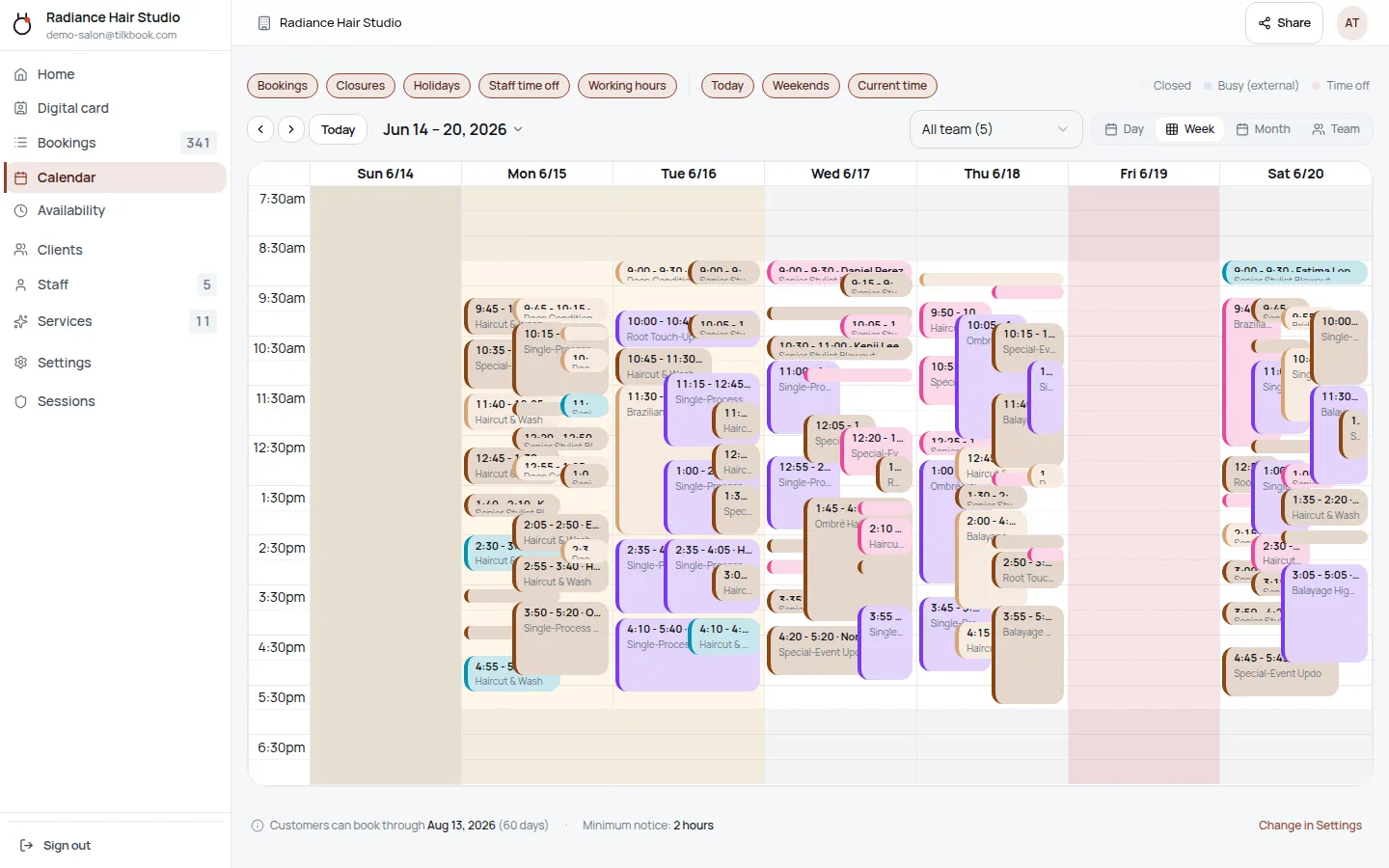
How does tilkbook calendar sync work?
- New bookings push instantly. When a client books, an event appears on your connected calendar within seconds.
- Busy time blocks your availability. Existing events on your calendar hide those slots from the public booking page — clients can never double-book you.
- Reschedules update in place. When a booking moves, the calendar event moves with it. No duplicate events, no manual cleanup.
- Cancellations clean up. Cancelled bookings remove the corresponding calendar event automatically.
Which calendars does tilkbook sync with?
- Google Calendar — available now on every plan including free.
- Outlook Calendar (Microsoft 365) — coming soon.
- iCloud Calendar — coming soon.
Each staff member connects their own Google Calendar, so every person's availability reflects their own calendar. Outlook and iCloud support is on the way.
Frequently asked questions
- Does tilkbook see the content of my calendar events?
- No. tilkbook reads start and end times only — never the event title, description, or attendees. Calendar privacy is enforced at the OAuth scope level.
- Can each staff member connect a different calendar?
- Yes. Each staff member connects their own Google Calendar independently, so every person's availability reflects their own calendar. Outlook and iCloud support is coming soon.
- Is calendar sync free?
- Google Calendar sync is included on every plan, including the free tier. Outlook and iCloud sync will be available on paid plans.